How It Works
Two ways to make practice visible. Same philosophy.
Every classroom starts with eBlini. It's free, instant, and works in your browser. The Blini device adds screen-free practice and richer data when you're ready. Both share the same principle: Blini is invisible during practice. The data appears after.
eBlini: see insights within 5 minutes.
Print QR cards for your class.
Download a PDF, print it, cut the cards. Each card has a unique code linked to your class. Hand them out, students put the card in their instrument case.
Students scan and press start.
At home, the student scans the QR code with any phone, tablet, or Chromebook. eBlini opens in the browser. One tap to start.
Phone goes away. Music starts.
The student puts the phone away and they practice normally. Blini listens quietly in the background. No screen interaction during practice.
After practice: the session report card.
When the student stops the session, eBlini shows what it captured: duration, notes played, pitch accuracy. The student sees their own practice, made visible.
Data flows to your dashboard.
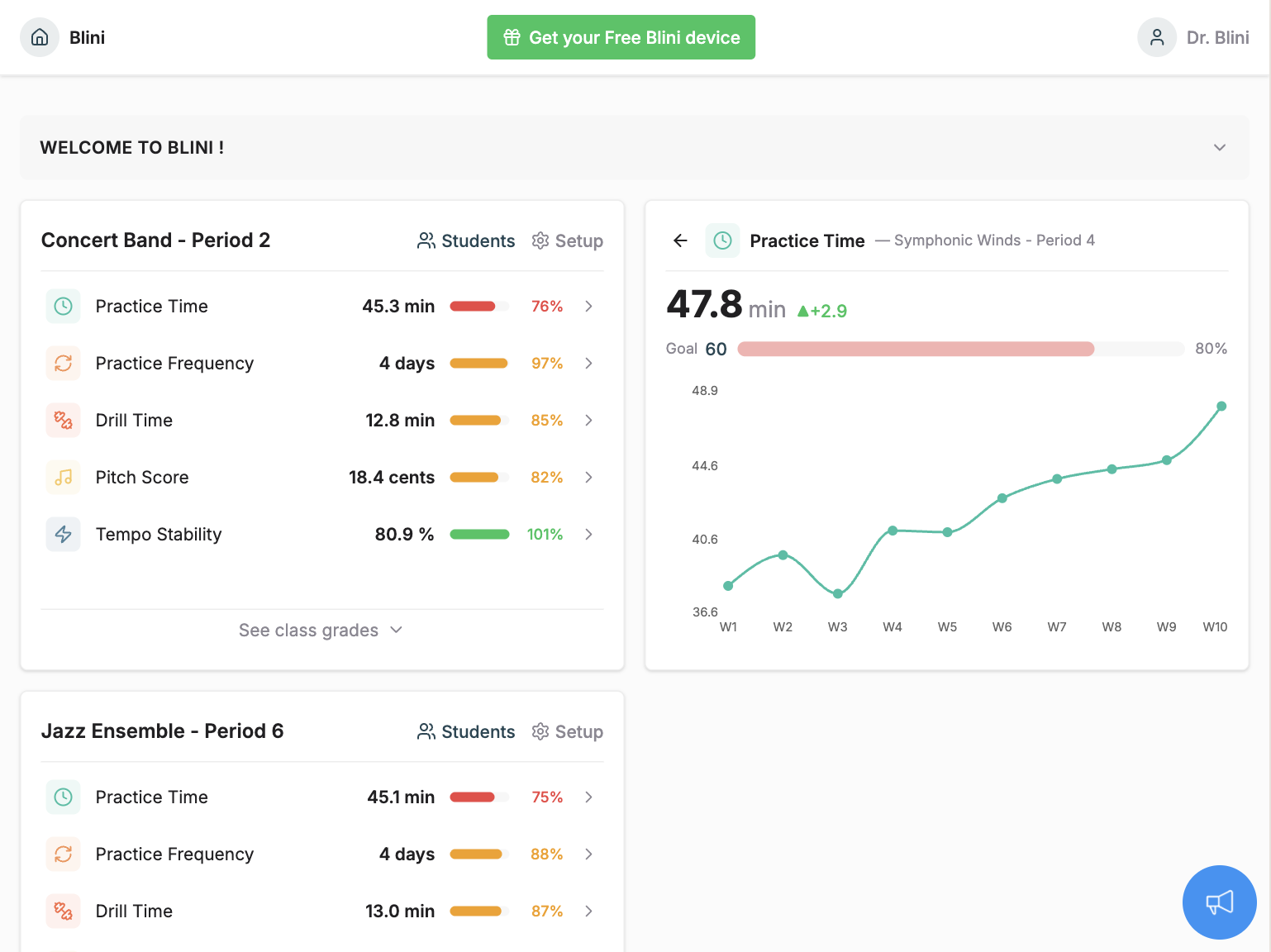
Every session feeds into your Ensemblini class view. Several accurate and granular metrics at the class level, and student level.
The Blini device: when the screen disappears entirely.
Clip on and press.
Attach Blini to the music stand. Press the button. No phone, no app, no login.
Practice normally.
Blini captures pitch, timing, tone quality, and session length. The student's only job is to play.
Plug in to sync.
After practice, plug in via USB-C. Data syncs to the student's account and the teacher's dashboard in seconds.
Full session detail.
Note-by-note feedback, pitch accuracy over time, tone quality metrics, practice history. Everything the student and teacher need to track progress.
Ensemblini
One dashboard. Every student.
Whether students use eBlini or the physical device, all data flows into Ensemblini, the free teacher dashboard. See class-wide patterns, drill into individual students, spot who's falling behind, celebrate who's thriving. No extra setup, no per-student cost.
Instrument Coverage
Built for the full band and orchestra.
Blini measures practice across every section of your program, whatever your students play. One dashboard, every instrument.
Flute · Clarinet · Oboe · Bassoon · Saxophone · Recorder
Trumpet · Trombone · French Horn · Euphonium · Tuba
Violin · Viola · Cello · Double Bass